



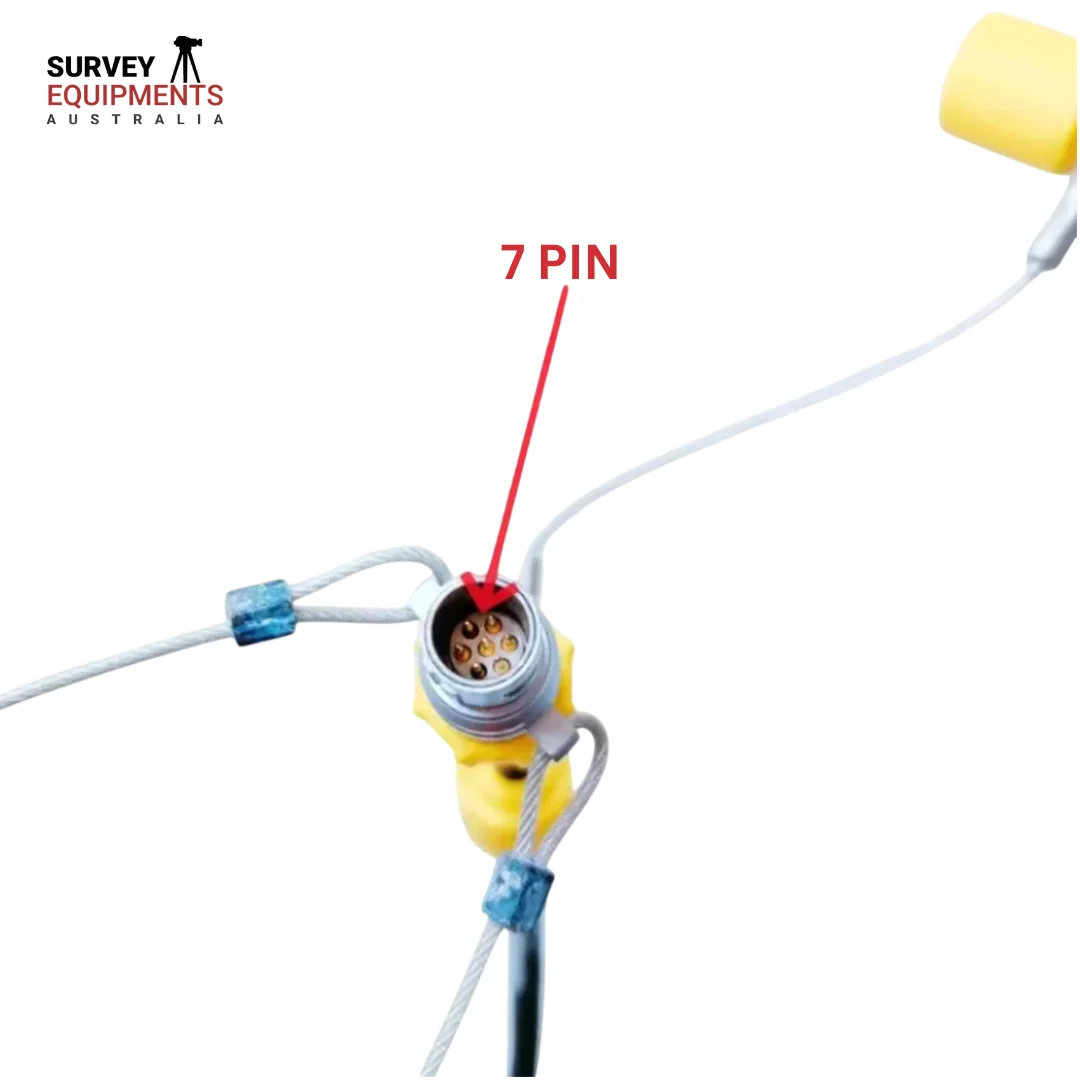


Trimble 80751/89852-00 USB to Lemo Download Cable is a professional-grade data interface cable designed for seamless communication between Trimble R10 and Trimble SPS985 GNSS receivers and compatible USB-enabled devices. This cable ensures secure, high-speed data transfer from the field to the office, making it an essential accessory for surveyors, engineers, and construction professionals using Trimble’s high-precision GPS receivers.
With durable construction and exacting engineering standards, this cable bridges the gap between rugged field equipment and digital data environments. Whether used for post-processing, data download, or firmware updates, it provides a dependable and interference-free connection every time.
Key Features Of 80751 USB to Lemo Download Cable

- Official Trimble Part Number: 80751 / 89852-00
Certified OEM accessory, fully compatible with Trimble R10 and SPS985 devices. - USB to 7-Pin Lemo Connection
Facilitates direct data transfer from GNSS receivers to computers via standard USB interface. - High-Speed Data Transfer
Supports rapid and stable communication for efficient file management and device servicing. - Ruggedised Design
Built with high-quality shielding and materials to withstand tough job site environments. - Plug-and-Play Compatibility
No special drivers required for most modern operating systems, allowing immediate use. - Compact and Lightweight
Easy to carry in a field kit without adding unnecessary bulk or weight.
Technical Specifications USB to Lemo Download Cable
| Specification | Details |
|---|---|
| Product Name | Trimble USB to Lemo Download Cable |
| Part Numbers | 80751, 89852-00 |
| Connector 1 | USB Type-A (Male) |
| Connector 2 | 7-pin Lemo plug to the receiver, plus a DC power jack plug (Y cable, as pictured) |
| Compatibility | Trimble R10, Trimble SPS985 |
| Data Functionality | Firmware Updates, Data Download, Communication |
| Operating System Compatibility | Any PC with a USB-A port running Trimble office or utility software |
| Cable Length | Approx. 1.6 m |
| Construction | Shielded for EMI resistance |
| Certification | RoHS Compliant, Trimble OEM Standard |
| Weight | Light, flexible cable for field and office use |
Compatibility Overview
| Device Model | Functionality Enabled |
|---|---|
| Trimble R10 GNSS | Data download, configuration, firmware updates |
| Trimble SPS985 GNSS | Data synchronisation, base/rover setup, updates |
USB to Lemo Download Cable vs Other 7-Pin Lemo Cables
| Cable | Receiver end | Other end | Use |
|---|---|---|---|
| 80751 USB to Lemo Download Cable (this item) | 7-pin Lemo | USB-A + DC power jack | Data and power from a PC / mains adapter |
| 7-pin Lemo to DB9 serial cable | 7-pin Lemo | DB9 serial | Serial data only |
| 7-pin Lemo to USB-A female field cable | 7-pin Lemo | USB-A female | Field USB devices |
Product Benefits
- Streamlined Data Management
Allows quick and reliable data offloading in the field or office. - Versatile Application
Ideal for construction, surveying, geospatial mapping, and environmental monitoring. - Effortless Device Configuration
Used to connect receivers to Trimble Access or Trimble Business Centre software. - Improved Workflow Efficiency
Reduces time spent transferring data and managing firmware upgrades. - Long-Term Durability
Designed to endure repeated connection cycles and rough field conditions. - Standard USB Compatibility
Works with laptops, desktops, and tablets equipped with USB-A ports.
Usage Scenarios of USB to Lemo Download Cable
- Post-processing GNSS survey data collection
- Loading configuration profiles and corrections
- Transferring project files between GNSS receiver and laptop
- Performing firmware upgrades in field or lab environments
- Syncing rover/base station files for QA and audit
Recommended Accessories
| Accessory | Purpose |
|---|---|
| Trimble R10 GNSS Receiver | High-precision positioning |
| Trimble SPS985 Receiver | Construction-grade GNSS operations |
| Trimble Data Collector | Field data acquisition and control |
| Trimble Access Software | Data logging and configuration |
| USB Power Supply Adapter | Charging and powering via USB when applicable |
Care and Handling Tips
- Avoid sharp bending or twisting of the cable
- Keep connectors clean and free from debris
- Store in a dry, dust-free case after use
- Inspect regularly for wear or exposed wires
- Do not use in environments exceeding rated temperature or humidity levels
Why Choose Trimble Original Cables?
- Guaranteed Compatibility: Precision-matched to your equipment for full functionality
- Long-Term Reliability: Built and tested to meet industry standards
- Support and Warranty: Backed by Trimble’s global support network and warranty policies
- No Signal Interference: Shielded design minimises data corruption and electromagnetic interference
Frequently Asked Questions
Can I use this cable to update firmware on my R10 receiver?
Yes, the 80751/89852-00 cable allows you to perform firmware updates via a USB connection to your Trimble R10.
Does the cable require special drivers to work on Windows 10 or macOS?
No. The cable is plug-and-play on most modern operating systems without requiring driver installation.
Is USB to Lemo Download Cable compatible with the Trimble R12 or other GNSS receivers?
It is specifically designed for Trimble R10 and SPS985. For R12 or other models, consult Trimble’s cable compatibility chart.
How long is the USB to Lemo Download Cable ?
The standard length is approximately 1.5 metre, allowing comfortable workspace between receiver and computer.
What is the difference between 80751 and 89852-00 part numbers?
These are interchangeable part numbers used by Trimble for the same cable model depending on production batch or inventory reference.
Sources: Connector layout (7-pin Lemo to USB-A and power jack) and 1.6 m length from Cansel: Trimble 7-pin Lemo to USB-A and power jack cable and Engineer Supply: 80751 data cable; other 7-pin cables from Cansel: 7-pin Lemo to DB9 cable; connectors confirmed from our product photos.


