



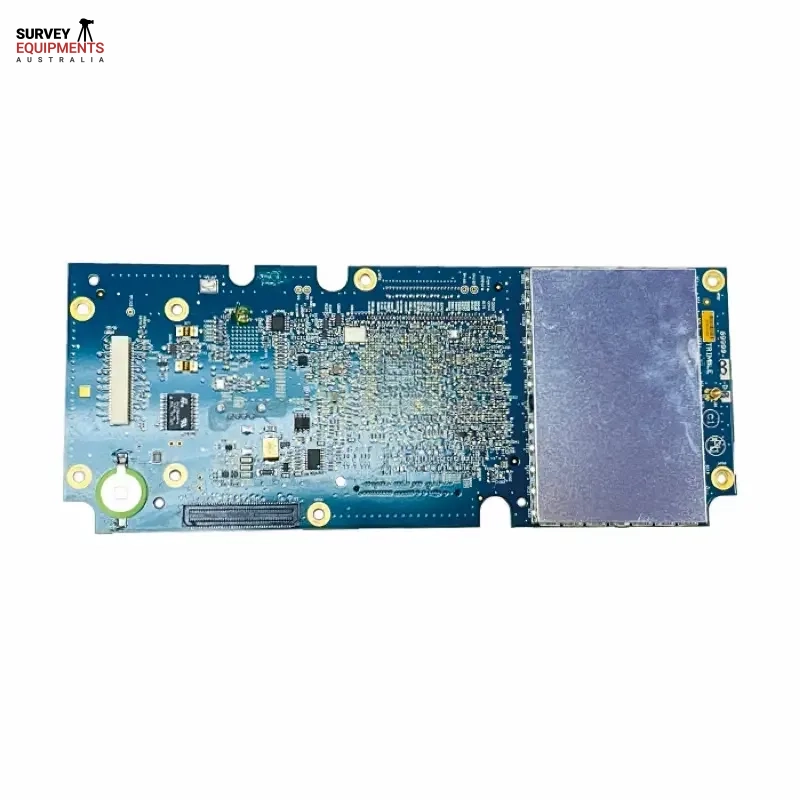
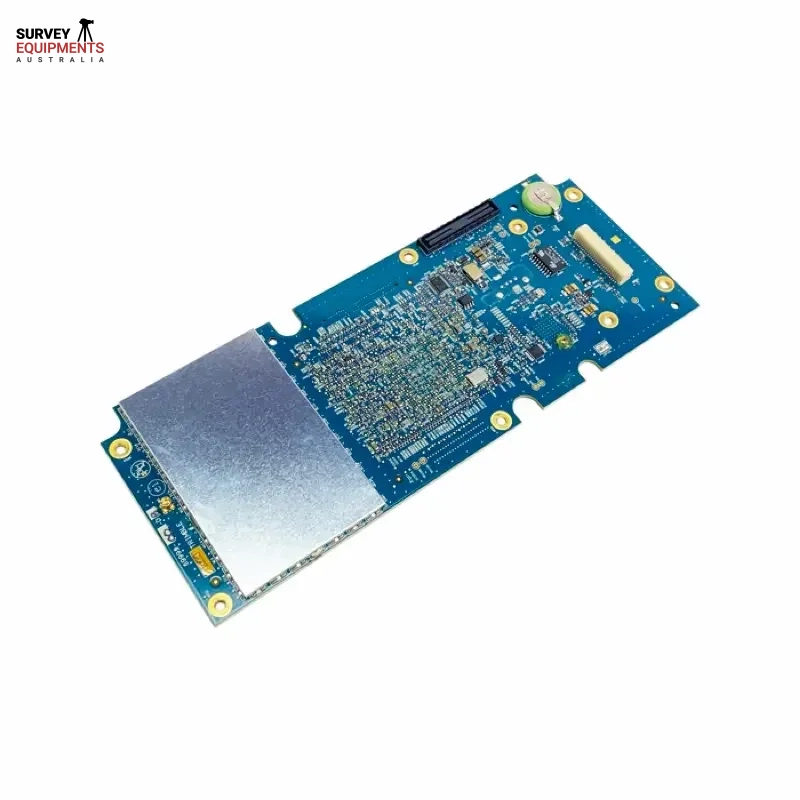
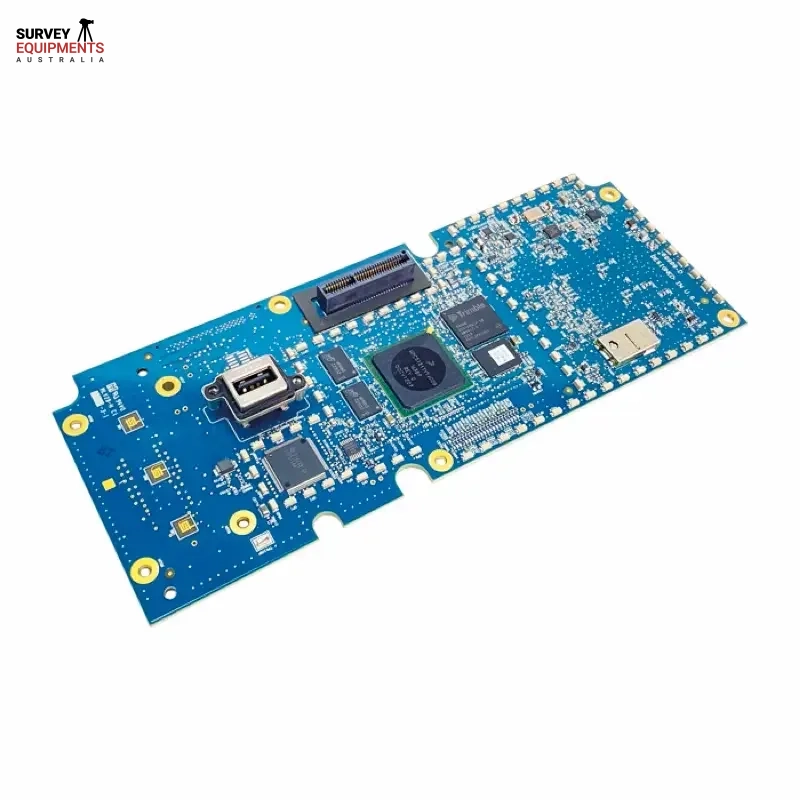
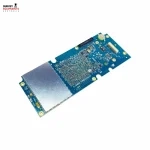
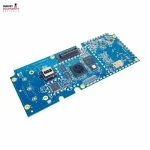


The Trimble CFX-750 motherboard is the main logic board inside the Trimble CFX-750 and FM-750 in-cab guidance displays. It carries the processor, memory and interface circuitry that run the display software and connect the LCD, touch panel, USB port and machine connectors. This new board restores a display that will not boot, freezes or has suffered electrical damage, without buying a complete new display.
What Is the CFX-750 / FM-750 Display Motherboard?
The CFX-750 is Trimble’s 8-inch full-colour touchscreen display for guidance, assisted and automated steering and precision-agriculture control. The FM-750 is the same platform supplied through New Holland and Case IH, with an integrated GPS/GLONASS receiver. The motherboard is the central board of both displays: every screen, every guidance line and every steering command passes through it.
Key Features of the Trimble FM-750 Main Board
- Purpose-built for CFX-750 and FM-750 – board outline, mounting holes and connector layout match the display housing.
- Complete logic board – processor, memory, flash storage and interface circuitry on one PCB.
- Shielded RF section – a metal shield can protects the sensitive signal circuitry from interference in the cab.
- Integrated USB port – for loading software, field data, guidance lines and configuration files.
- High-density board-to-board connectors – link the board to the LCD, touch panel and I/O assemblies.
- Backup battery position – keeps the real-time clock and settings while machine power is off.
- Brand new condition – clean board, no prior field use.
Benefits of Repairing Your CFX-750 With a New Motherboard
- Lower cost than a new display – fix a failed unit for a fraction of the price of a full display system.
- Keep your existing setup – reuse your screen, housing, mount, cables, antenna and steering components.
- Less downtime – get back to planting, spraying and harvest with a straightforward board swap.
- Extend display life – keep a proven guidance platform working across your fleet.
Host Display Capabilities Restored
A working motherboard brings back the full feature set of your display, including:
- Manual guidance, EZ-Steer assisted steering, EZ-Pilot and Autopilot automated steering
- Trimble Maxwell 6 GNSS platform tracking up to 44 satellites, including GLONASS when unlocked
- Pass-to-pass accuracy options from around ±20 cm down to ±2.5 cm with RTK on the FM-750
- Field-IQ crop input control with section control on up to 48 sections
- Two live video inputs for implement monitoring cameras
Trimble CFX-750 Motherboard Specifications
| Product | Display motherboard / main logic board |
|---|---|
| Brand | Trimble |
| Fits Display Models | Trimble CFX-750, FM-750 |
| Host Display Screen | 8-inch full-colour touchscreen |
| Board Type | Multi-layer PCB with shielded RF section |
| On-board Interfaces | USB port, board-to-board connectors, flex cable connectors |
| Weight | Approx. 350 g |
| Condition | New |
| Package Contents | 1 x Motherboard for Trimble CFX-750 / FM-750 |
Common Faults Solved by a New FM-750 Motherboard
- Display will not power on or stays on a black screen
- Unit stuck on the boot logo or restarts in a loop
- Random freezing, lock-ups or lost guidance during operation
- USB port not detecting drives
- Damage from water ingress, voltage spikes, jump-starting or lightning
Applications
- Repair of Trimble CFX-750 displays on tractors, sprayers and harvesters
- Repair of New Holland and Case IH FM-750 displays
- Precision-agriculture dealer and workshop repair stock
- Fleet operators maintaining multiple 750-series displays
Installation Tips
- Back up vehicles, implements, fields and guidance lines to USB before opening the unit.
- Disconnect machine power and use anti-static precautions.
- Note the position of every flex cable and connector before removing the old board.
- Check the housing seal on reassembly to keep dust and moisture out.
- Confirm your unlocks with your dealer after the board is fitted.
What’s Included
- 1 x Motherboard for Trimble CFX-750 / FM-750
LCD, touch panel, housing and cables are not included.
Frequently Asked Questions
What does the Trimble CFX-750 motherboard do?
It is the main logic board of the CFX-750 / FM-750 display. It runs the display software and links the LCD, touch panel, USB port, power input and connector ports so the unit can boot, show guidance and talk to steering and application-control systems.
Which displays does this motherboard fit?
It is built for the Trimble CFX-750 display and the FM-750 display, the version of the same platform supplied through New Holland and Case IH dealers.
When should I fit a new motherboard to my CFX-750 or FM-750?
Typical signs are a display that will not power up or boot, freezes or restarts, has a dead USB port, or has failed after water ingress, a voltage spike or a lightning strike, when the LCD, touch panel and cables have already been checked.
Is the LCD screen or touch panel included?
No. The listing includes the motherboard only. The LCD, touch panel, housing, bezel and cables are not included and are transferred from your existing display or bought separately.
Will my unlocks and settings transfer to the new board?
Unlocks such as GLONASS, RTK or section control are normally tied to the display’s internal hardware, so they may need to be re-entered or re-issued after the board is changed. Back up your vehicles, implements and fields to a USB drive before you start and check unlocks with your dealer.
What condition is the board in?
The motherboard is supplied in new condition.
How much does the motherboard weigh?
The board weighs approximately 350 g, which keeps freight simple and low cost.
Can I install the motherboard myself?
A technician comfortable with electronics can fit it: open the rear housing, disconnect the flex cables and connectors, move the board over and reassemble. Use anti-static precautions and keep the housing seal clean so the display stays sealed in the cab.


Reviews
There are no reviews yet.